
Trading essentials
Forex Order Types Explained: Market, Limit, Stop, and Stop-Limit
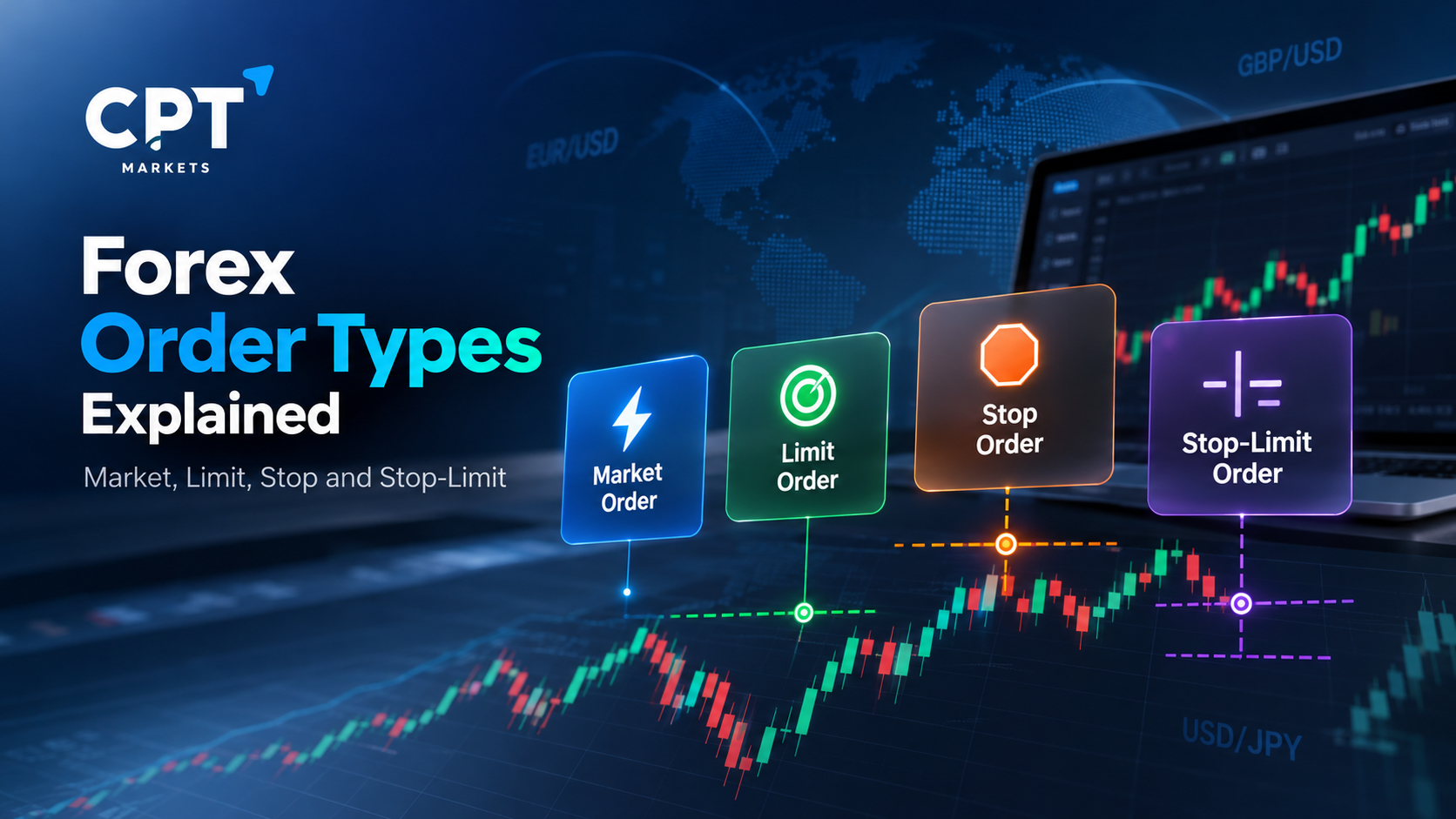
Forex order types determine how and when a trade is submitted for execution. A market order instructs a broker to buy or sell a currency pair at the available market price. While a limit order specifies the maximum price to pay when buying or the minimum price to accept when selling. A stop order activates when the market reaches a specified level, whereas a stop-limit order activates a limit order. Each type has different execution characteristics and risks.
What Are Forex Order Types?
A forex order is an instruction to buy or sell a currency pair under specified conditions. Depending on the order type, you can request an immediate trade, set a preferred entry price, or wait for the market to reach a particular level.
The four order types covered in this guide are market, limit, stop, and stop-limit orders. Market orders are generally used when immediate execution is the priority. The other three are commonly used as pending orders, allowing traders to define conditions before a trade is opened.
However, an order instruction does not remove market risk. Prices can change quickly, execution can differ from the expected price, and some orders may not execute at all. Therefore, understanding the conditions attached to each order is essential before placing a trade.
1. Market Orders: Trading at the Available Price
A market order instructs a broker to buy or sell a currency pair at the available market price. Traders typically use this order type when they want to enter or exit a position without specifying a particular execution price.
For example, suppose EUR/USD is quoted at 1.1000/1.1002, where 1.1000 is the bid and 1.1002 is the ask. A trader placing a market buy order would generally transact at the available ask price, while a market sell order would generally transact at the available bid price. Actual execution depends on the broker’s execution model and prevailing market conditions.
When Might a Market Order Be Used?
A market order may suit a situation where entering or exiting promptly matters more than obtaining a specific price. For instance, a trader might use one to open a position after reviewing a scheduled economic announcement.
Nevertheless, the displayed quote is not necessarily the final execution price. During volatile conditions, the market may move between the time an order is submitted and the time it is executed. This difference is known as slippage.
Key consideration: A market order prioritises execution at the available market price, but the execution price is not guaranteed. Execution depends on the broker’s terms, available liquidity, and prevailing market conditions.
2. Limit Orders: Specifying Your Preferred Price
A limit order sets a price condition for buying or selling. A buy limit order is generally placed below the relevant current market price, while a sell limit order is generally placed above it under the usual over-the-counter (OTC) forex convention.
Unlike a stop order, a limit order does not become a market order when its price condition is reached. Instead, it seeks execution at the limit price or a more favourable price, subject to the applicable execution rules and available liquidity.
Buy Limit Order Example
Suppose EUR/USD is trading around 1.1000/1.1002. A trader wants to buy if the price falls to 1.0950, rather than buying at the current quote.
The trader could place a buy limit order at 1.0950. If the relevant price reaches the order level and the execution conditions are met, the order may be filled at 1.0950 or better.
However, the market could reverse before reaching that level. Even if the market touches the price, insufficient liquidity or other execution constraints may prevent the order from being filled completely.
Sell Limit Order Example
Now suppose EUR/USD is trading around 1.1000/1.1002, and a trader wants to sell at 1.1050.
A sell limit order at 1.1050 sets the minimum acceptable selling price under the applicable order rules. If the market reaches the level and sufficient execution opportunities are available, the order may be filled.
Key consideration: Limit orders provide price control but do not guarantee execution. A trader may miss a move entirely if the market never reaches the specified level or the order cannot be filled.
3. Stop Orders: Entering After a Price Level Is Reached
A stop order activates when the market reaches a specified trigger price. In the common OTC forex model, a standard stop-entry order then submits a market order for execution.
Traders may use stop orders to enter a position when the market moves beyond a level they are monitoring. A buy stop is usually placed above the current market price, while a sell stop is usually placed below it.
Buy Stop Order Example
Suppose EUR/USD is trading around 1.1000/1.1002. A trader wants to buy if the price rises to 1.1050, perhaps because the trader is monitoring a potential breakout above a resistance level.
A buy stop can be placed at 1.1050. Once the applicable trigger condition is met, the order activates, and a market buy order is submitted.
However, activation at 1.1050 does not necessarily mean execution at 1.1050. If the market rises sharply or gaps beyond the trigger, the final execution price may be higher.
Sell Stop Order Example
Suppose a trader is monitoring EUR/USD around 1.1000/1.1002 and wants to sell if the price falls to 1.0950.
A sell stop at 1.0950 can activate when the relevant market price reaches the trigger. The resulting market sell order may then execute at the available bid price, which could be lower than the specified level during fast-moving conditions.
Key consideration: Stop orders can help automate entry conditions, but they do not guarantee a specific execution price. Slippage can increase the cost of entering a position or contribute to a larger-than-expected loss.
4. Stop-Limit Orders: Combining a Stop Trigger with a Price Limit
A stop-limit order combines two price levels: a stop price and a limit price. When the stop condition is met, the order submits or activates a limit order rather than a market order.
This distinction matters because the limit condition restricts the acceptable execution price. However, it also means that the order may remain unfilled if the market moves beyond the limit.
Stop-Limit Order Example
Suppose EUR/USD is trading around 1.1000/1.1002. A trader wants to buy if the market rises to 1.1050 but does not want to accept a buying price above 1.1055.
The trader could configure a buy stop-limit order with the following parameters:
– Stop Price: 1.1050
– Limit Price: 1.1055
If the applicable stop trigger is reached, a buy limit order at 1.1055 is activated. The order can execute at the limit price or a more favourable price, subject to available liquidity and the relevant execution rules.
If EUR/USD jumps directly from below 1.1050 to above 1.1055, the limit order may not fill. Consequently, the trader could miss the intended entry even though the stop condition has been triggered.
A sell stop-limit order works in the opposite direction. It activates a sell limit order after the specified stop condition is met, with the limit price defining the minimum acceptable selling price.
Key consideration: A stop-limit order offers greater control over the execution price than a stop order that converts to a market order. However, that control comes with the risk of non-execution.
Market vs Limit vs Stop vs Stop-Limit Orders
The main difference between these order types is whether they prioritise immediate execution, a specified price, or a trigger condition.
|
Order Type |
Main Purpose |
Typical Buy-Order Price or Trigger |
Main Execution Risk |
|
Market |
Request immediate execution |
At the available ask |
Slippage; the final price may differ from the quote |
|
Limit |
Buy or sell at a specified price or better |
Below the current market |
Order may not fill |
|
Stop |
Trigger a market order after a price level is reached |
Above the current market |
Slippage after activation |
|
Stop-limit |
Trigger a limit order after a price level is reached |
Stop above market, with the limit defining the acceptable buying price |
Order may not fill after activation |
These placements describe the usual conventions for OTC forex trading. Platform rules, price references, and execution conditions can differ, so check the relevant broker documentation before placing an order.
How to Choose an Order Type
The appropriate order type depends on the execution conditions you need, not simply on whether you expect the market to rise or fall.
– Use a market order when you want to request execution at the available market price and accept the possibility of slippage.
– Use a limit order when a specific entry price or better is more important than entering the market immediately.
– Use a stop order when you want an order to activate after the market reaches a specified level, while accepting the risk of a different execution price.
– Use a stop-limit order when you want a price limit after a stop trigger, while accepting that the trade may not execute.
No order type guarantees a profitable result. In addition, the order that best matches an entry requirement may not be appropriate for every exit requirement or market condition.
Explore account information
Review account details, terms, and risks on the official CPT website.
What Is the Difference Between an Entry Order and a Stop-Loss Order?
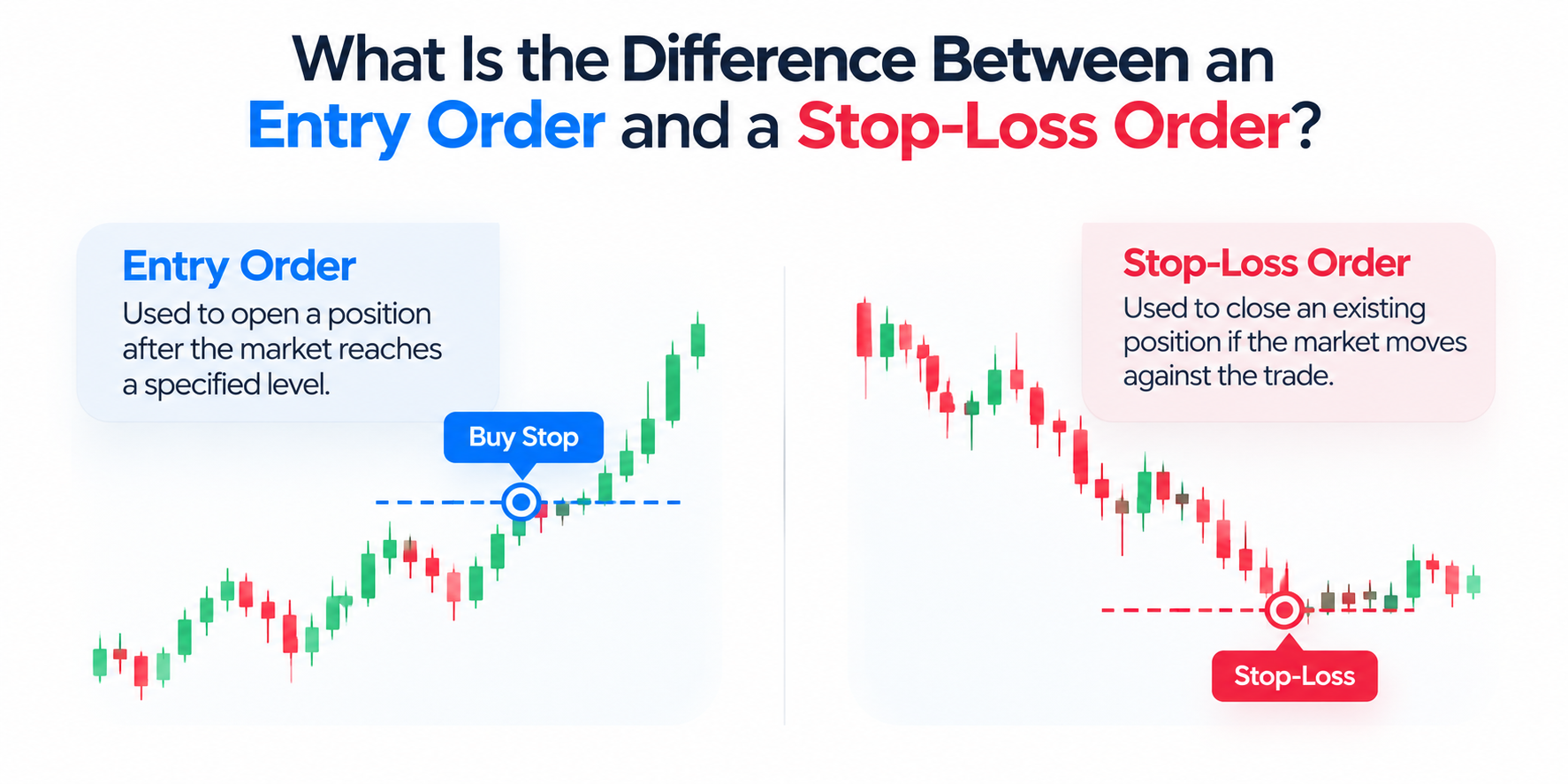
The word stop can refer to different instructions, so it is important to distinguish a stop-entry order from a stop-loss order.
A stop-entry order is used to open a position after the market reaches a specified level. For example, a buy stop may activate above the current market price to enter a potential breakout.
A stop-loss order, by contrast, is generally attached to an existing position or configured to help close it if the market moves against the trade. For example, a trader holding a long EUR/USD position might set a stop-loss below the entry price.
Under a common OTC forex execution model, a stop-loss activates a market order when its trigger condition is met. The actual closing price may differ from the stop level, especially during gaps or periods of volatility. A stop-loss therefore does not necessarily cap the loss at the specified price.
A stop-limit order can also be used in certain exit arrangements, depending on the platform and product. However, because it limits the acceptable execution price, it may leave the position open if the market moves past the limit without filling the order.
What to Check Before Placing a Forex Order
Choosing an order type is only one part of managing a trade. Before submitting an instruction, check the following details.
1. The relevant price. Confirm whether the order uses the bid, ask, or another reference price. The displayed chart price may not be identical to the trigger price used by the platform.
2. The order direction. Check whether you are buying or selling and whether the chosen order type is appropriate for the intended price level.
3. The position size. Consider the potential financial impact of an adverse move. A correctly configured order can still result in a substantial loss if the position is too large.
4. The execution conditions. Review how the broker handles order activation, partial fills, slippage, gaps, and rejected orders. These conditions may vary by product, account, and platform.
5. The expiry and cancellation rules. Some pending orders remain active until cancelled, while others expire at a specified time or under platform-defined conditions. Do not assume an order will expire automatically.
6. The associated risk controls. If using stop-loss or take-profit instructions, check their trigger conditions and how they interact with the pending order or open position.
These checks are particularly important around economic announcements, central bank decisions, and other events that can cause rapid price movements. During such periods, spreads may widen, and execution conditions may change.
Common Mistakes to Avoid
Understanding the order definitions helps, but several practical mistakes can still cause confusion
– Confusing a stop order with a limit order. A stop-entry order generally triggers a market order, whereas a limit order seeks execution at a specified price or better. They are not interchangeable
– Assuming a trigger guarantees a fill. A stop-limit order may activate without executing. A limit order may remain pending even after the market approaches its price.
– Ignoring the bid-ask spread. Forex quotes contain a bid and an ask. Depending on the order type and direction, the relevant price may differ from the price displayed most prominently on a chart.
– Treating a stop price as a guaranteed execution price. A standard stop order can execute at a less favourable price if the market moves quickly. The same issue can affect stop-loss instructions
– Ignoring the bid-ask spread. Forex quotes contain a bid and an ask. Depending on the order type and direction, the relevant price may differ from the price displayed most prominently on a chart.
– Forgetting active orders. A pending order can remain in place after market conditions or the original trading idea have changed. Review active orders and their expiry settings regularly.
Conclusion
Market, limit, stop, and stop-limit orders serve different purposes. Market orders request execution at the available price, limit orders specify an acceptable price, stop orders activate after a trigger is reached, and stop-limit orders combine a trigger with a price restriction.
The central trade-off is between execution certainty and price control. Market orders may be filled at a different price than expected, while limit-based orders may not be filled at all. Before using any order type, understand its activation rules, execution conditions, and potential financial consequences.
Frequently Asked Questions
1. What Are the Four Main Types of Forex Orders?
The four types covered here are market, limit, stop, and stop-limit orders. A market order requests execution at the available price. A limit order sets an acceptable price, a stop order activates after a specified price condition is met, and a stop-limit order activates a limit order after its stop trigger is reached.
2. What Is the Difference Between a Market Order and a Limit Order?
A market order requests execution at the available market price, prioritising execution over a specific price. A limit order specifies the maximum price a trader is willing to pay when buying or the minimum price they are willing to accept when selling. Consequently, a market order may experience slippage, while a limit order may remain unfilled.
3. What Is the Difference Between a Limit Order and a Stop Order?
A limit order seeks execution at a specified price or better. A stop-entry order activates when the relevant market price reaches a specified trigger, after which it commonly submits a market order. A limit order prioritises price control, whereas a stop-entry order triggers a market order once the specified price condition is met, subject to the applicable execution conditions.
4. Does a Stop-Limit Order Guarantee Execution?
No. A stop-limit order activates a limit order when its stop condition is met. If the market moves beyond the limit price without offering an acceptable execution opportunity, the order may remain unfilled. This provides price control but creates the risk that the intended trade will not take place.
5. Can a Stop Order Execute at a Different Price from Its Trigger?
Yes. Under a common OTC forex model, a stop-entry order triggers a market order. If the market moves quickly or gaps beyond the stop price, execution may occur at a less favourable price. The same principle can apply to stop-loss orders, so the stop level should not automatically be treated as a guaranteed exit price.
6. Are Pending Forex Orders Executed When the Trading Platform Is Closed?
It depends on the order, broker, platform, and server arrangements. Some pending orders are held and processed by the broker’s server, while other functions may depend on platform operation. Traders should check the applicable platform documentation, trading hours, order-expiry rules, and broker terms rather than assuming an order will remain active in every circumstance.
Explore account information
Review account details, terms, and risks on the official CPT website.
Related articles
- Forex essentials
Base Currency vs Quote Currency: How Forex Pairs Are Read
A currency pair shows the value of one currency relative to another. The base currency is the first currency in the pair, while the quote currency is the second. The exchange rate tells you how many units of the quote currency are needed to buy one u
12 min read · estimated↗ - Trading essentials
What Is a Trader? Types, Skills, and How Trading Works
A trader is an individual who buys and sells financial instruments or takes positions in financial products to seek profits from changes in market prices. Traders operate across markets such as foreign exchange (forex), shares, indices, commodities,
13 min read · estimated↗ - Digital assets
What Is Litecoin (LTC)? How It Works, Uses, and Risks
Litecoin (LTC) is a decentralised cryptocurrency designed to enable peer-to-peer transactions without requiring a central authority to process them. Launched in 2011, it uses a public blockchain and a proof-of-work consensus mechanism to record trans
12 min read · estimated↗